SharePoint On-Premise vs. Online: What’s The Difference?
Check these SharePoint on-premise vs. online differences to find the right deployment for your business and maximize collaboration and data efficiency.
On this page
Choosing between SharePoint on-premise vs. online is a big decision for organizations that want to optimize collaboration, data management, and workflow efficiency.
If you’re still running SharePoint Server 2016 or 2019, note that extended support ended on July 14, 2026. Planning a move now gets you off an unsupported platform and reduces risk.
Both deployment options offer unique capabilities, and recognizing these distinctions helps businesses select a solution in keeping with their operational goals. Companies often look for SharePoint consulting services to guide them through these options for a strategic and smart choice.
SharePoint has progressed into a versatile platform that can support complex business processes. Its flexibility allows organizations to host data locally or access it via the cloud.
The differences between SharePoint online vs. on-premise influence costs, maintenance, accessibility, and long-term scalability. These factors determine which approach will fit best into a company’s existing infrastructure and future plans.
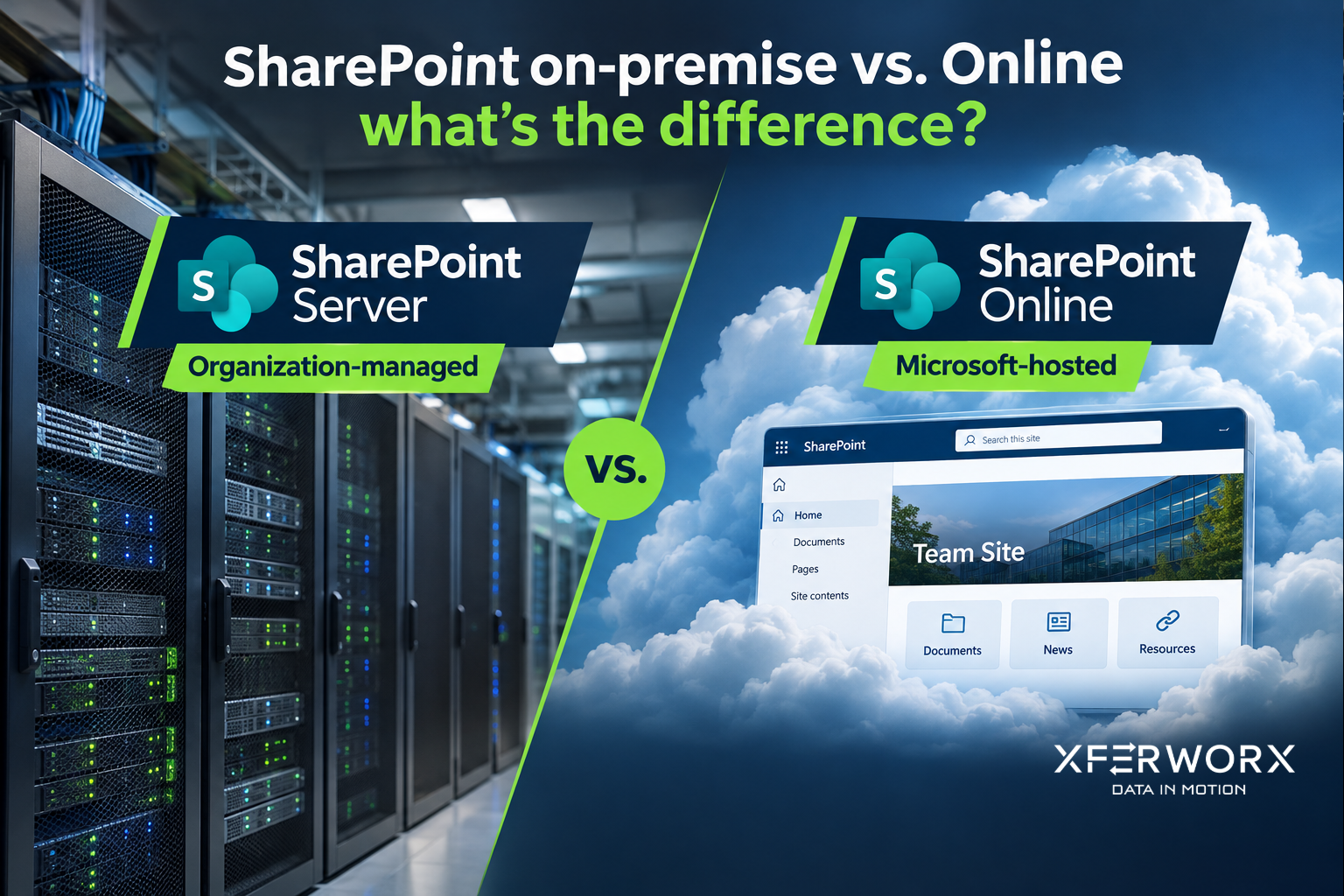
SharePoint on-premise vs. Online at a glance
SharePoint Server (on-premise)
What it is: SharePoint installed on your own servers. The current version is SharePoint Server Subscription Edition.
Best for: Organizations that must control the servers and where data lives, or that rely on deep customization tied to on-premises systems.
SharePoint Online
What it is: SharePoint in Microsoft 365, hosted and updated by Microsoft.
Best for: Organizations that want minimal maintenance, access from anywhere and the newest Microsoft 365 features.
✓ marks the stronger option on that point.
| On-premise (Subscription Edition) | SharePoint Online | |
|---|---|---|
| Where it runs | Your servers and data center | Microsoft’s cloud |
| Updates | Your team installs monthly updates; each has a one-year support window | ✓ Microsoft updates the service |
| New features | Feature updates twice a year | ✓ Delivered continuously |
| Control | ✓ Full control of servers, settings and backups | Microsoft runs the platform; you control the settings |
| Customization | ✓ Server-level customization and direct connections to internal systems | SharePoint Framework, Power Apps and Power Automate |
| Access | Internal network or VPN for remote users | ✓ Browser and mobile app from anywhere |
| Growth | Plan and buy server capacity ahead | ✓ Grows with licenses; extra storage can be added |
| Microsoft 365 connection | Through hybrid features (search, OneDrive, Power Apps and Power Automate) | ✓ Built in |
Deployment and Hosting
The primary distinction between SharePoint online vs. SharePoint on-premise lies in deployment. On-premise installations require businesses to host SharePoint servers internally, which involves purchasing hardware, managing storage, and handling network configurations.
Organizations retain complete control over server settings, access permissions, and customization options. This control can be particularly beneficial for industries with strict regulatory compliance standards.
On the other hand, SharePoint Online is hosted by Microsoft in the cloud. Users access it through a web browser or mobile application, reducing the need for local server management.
The cloud infrastructure is maintained and updated by Microsoft, allowing companies to focus on productivity rather than server upkeep. Businesses wanting SharePoint installation services often rely on experts to transition systems, migrate data, and configure environments according to their workflows.
Cost Implications
Cost structure differs substantially between SharePoint on-premise vs. online. On-premise requires investment in servers, storage, and SQL infrastructure, plus licensing under the SharePoint Server Subscription Edition model (Server/CAL). This is no longer a one‑time purchase; most organizations license through an annual or multi‑year subscription or Software Assurance. Ongoing expenses include power, cooling, IT staff salaries, and patch management.
For organizations anticipating growth or fluctuating storage needs, these costs can increase rapidly.
SharePoint Online operates on a subscription model. Monthly or annual fees cover licensing, hosting, and Microsoft-managed updates. This model reduces capital expenditures and shifts operational costs to predictable recurring payments.
Businesses often consider SharePoint automation solutions to further optimize resource usage, minimizing human intervention and reducing long-term expenses.
Maintenance and Updates
Maintenance requirements differ greatly between SharePoint online vs. on-premise. On-premise systems demand active IT involvement for updates, patches, security, and server health monitoring.
Administrators must schedule downtime for major upgrades and maintain disaster recovery protocols. The responsibility falls on the organization to anticipate potential risks and implement corrective measures.
In contrast, SharePoint Online receives automatic updates from Microsoft. Security patches, feature enhancements, and compliance changes occur in the background without interrupting end users.
This approach reduces administrative workload and allows companies to focus on strategic tasks rather than routine server maintenance. Companies using SharePoint consulting services may explore hybrid strategies that combine on-premise control with online convenience.
Customization and Flexibility
SharePoint on-premise offers high levels of customization. Organizations can design workflows, configure features, and deploy third-party applications according to their unique business processes.
This flexibility allows IT teams to develop specialized solutions that deal with niche requirements. On-premise platforms can also accommodate legacy applications or internal tools that rely on local infrastructure.
SharePoint Online supports customization but within the limits of Microsoft’s cloud framework. Users can create workflows, apply branding, and use approved add-ins. However, extensive server-level modifications are restricted.
Many businesses use SharePoint automation solutions to achieve efficiency in routine tasks while respecting online environment limitations. The balance between control and simplicity often drives decisions between the two deployment types.
Security and Compliance
Security considerations are central to the SharePoint online vs. on-premise debate. On-premise systems allow organizations to manage access controls, encryption, and backup protocols internally.
Data never leaves the company’s network unless specifically transmitted. This control is advantageous for sensitive industries such as finance, healthcare, or government sectors.
SharePoint Online applies Microsoft’s enterprise-grade security measures, including multi-factor authentication, data encryption at rest and in transit, and continuous monitoring. Compliance certifications cover a wide range of industry standards.
Organizations concerned with regulatory adherence can rely on these built-in safeguards. Using SharePoint consulting services can help evaluate security needs and determine whether local control or cloud management goes best with internal policies.
Accessibility and Collaboration
Accessibility differs between SharePoint on-premise vs. online. On-premise installations depend on internal networks or VPN access for remote users.
Mobile and offsite collaboration may require additional tools or configurations. The physical location of servers impacts latency and availability, particularly for geographically distributed teams.
SharePoint Online excels in accessibility. Employees can access content from any device with an internet connection, facilitating real-time collaboration. Integration with Microsoft 365 applications such as Teams, OneDrive, and Outlook allows smooth document sharing and co-authoring.
Many organizations choose SharePoint automation solutions to coordinate workflows and improve collaboration across departments.
Scalability
Scalability is another defining point between SharePoint online vs. SharePoint on-premise. On-premise systems require proactive planning to handle growth in users, documents, and workflows.
Expanding storage or adding servers involves additional investment and IT effort. Organizations must anticipate future needs to avoid bottlenecks.
SharePoint Online offers inherent scalability through Microsoft’s cloud infrastructure. Companies can adjust subscription plans and storage limits as requirements evolve. Scaling occurs without physical hardware investment, allowing businesses to adapt to changing demands more efficiently.
Experts in SharePoint installation services often guide organizations in designing scalable environments that accommodate growth while maintaining performance.
Integration with Other Systems
Integration capabilities differ for SharePoint online vs. on-premise environments. On-premise deployments can connect directly to internal databases, custom applications, and legacy systems. IT teams can configure direct server-to-server connections and maintain tight control over data flows.
SharePoint Online supports integrations via APIs, Microsoft Power Automate, and cloud connectors. Though some restrictions apply, most organizations find it sufficient for daily business operations.
SharePoint automation solutions often play a big part in bridging gaps between online applications and internal systems. Consultants can evaluate workflows to make sure data moves efficiently and remains accessible across platforms.
Performance and Reliability
Performance factors are also different depending on SharePoint online vs. on-premise deployment. On-premise systems are influenced by internal network speed, server capacity, and user volume. Proper server configuration and regular maintenance are necessary to avoid slowdowns or downtime.
SharePoint Online benefits from Microsoft’s cloud infrastructure, which offers redundancy, load balancing, and global data centers. This design delivers consistent performance and high availability.
Users experience minimal latency, even when accessing large libraries or executing complex workflows. Organizations often implement SharePoint automation solutions to further optimize system responsiveness.
Training and Support
Training is an instrumental component of both deployment types. On-premise systems may require specialized IT skills to maintain and optimize performance. Staff must learn server management, database administration, and workflow customization to maximize system benefits.
SharePoint Online reduces technical overhead, allowing end users to focus on collaboration rather than infrastructure management. Microsoft’s cloud platform offers extensive documentation, tutorials, and support resources.
Organizations can also work with consultants to develop custom training programs, helping teams take full advantage of the platform. SharePoint automation solutions can be incorporated into training to teach employees how to reduce repetitive tasks efficiently.
Why XferWorx Stands Out
At XferWorx, we specialize in helping businesses evaluate the differences between SharePoint on-premise vs. online and make informed decisions.
Our expertise in SharePoint consulting services, SharePoint installation services, and SharePoint automation solutions allows us to deliver customized solutions that line up with organizational goals. We take time to analyze workflows, uncover data challenges, and create systems that fit current operations while scaling for the future.
We bring an automation-first approach, reducing repetitive tasks, improving data visibility, and minimizing human error. Our Marine Corps roots influence our disciplined methodology: we operate with precision, integrity, and a relentless commitment to mission success.
From scoping to deployment, our fast, focused engagements make sure projects move efficiently without compromising quality. Clients trust XferWorx because we deliver results that are functional, actionable, and sustainable.
If you have questions about SharePoint on-premise vs. online or want to discuss how XferWorx can support your SharePoint initiatives, reach out to us today.
Our team is ready to guide your organization toward a solution that saves time, reduces costs, and scales with your business needs.
On‑premises deployments require investment in servers, storage, and SQL infrastructure, plus licensing under the SharePoint Server Subscription Edition model (Server/CAL). This is no longer a one‑time purchase; most organizations license through an annual or multi‑year subscription or Software Assurance.
Choose on-premise if…
- Rules require servers and data you control
- You depend on custom solutions that need server access
- You have IT staff to install updates every month
Choose SharePoint Online if…
- You want Microsoft to handle updates and the platform’s security
- People work remotely or across locations
- You use Microsoft 365, Teams and Power Automate
Which should you choose?
In short: SharePoint Online fits most organizations; SharePoint Server Subscription Edition fits when control of the servers is a requirement. A hybrid setup can connect the two.
Selecting between SharePoint on-premise vs. online depends on multiple factors, including budget, IT resources, security policies, and long-term strategy. Companies that require maximum customization and complete control over servers may favor on-premise.
Conversely, organizations prioritizing accessibility, minimal maintenance, and predictable costs often select SharePoint Online.
Consulting professionals for SharePoint consulting services can help map out workflows, analyze data needs, and design solutions tailored to organizational goals.
Experienced consultants can provide insight into hybrid deployments, combining the strengths of on-premise and online models to meet complex requirements. SharePoint installation services assure a smooth implementation, while SharePoint automation solutions increase efficiency across tasks.
Frequently Asked Questions
What is the difference between SharePoint on-premise and SharePoint Online?
On-premise installations require the business to host SharePoint servers internally, which involves purchasing hardware, managing storage and handling network configurations. SharePoint Online is hosted by Microsoft in the cloud and accessed through a web browser or mobile application, reducing the need for local server management.
Is SharePoint Server 2016 or 2019 still supported?
No. Extended support for SharePoint Server 2016 and 2019 ended on July 14, 2026.
How do we choose between SharePoint on-premise and SharePoint Online?
It depends on budget, IT resources, security policies and long-term strategy. Companies that require maximum customization and complete control over servers may favor on-premise. Organizations prioritizing accessibility, minimal maintenance and predictable costs often select SharePoint Online.
Microsoft references
Need help with SharePoint?
Book a free 30-minute call.
Next steps
Keep reading
- Best Practices For Google Drive To SharePoint Migration
- Mastering SharePoint Online Migration: Overcoming 2025’s Biggest Challenges